
Social Media platforms expanding their territory day by day over the internet. In the process of content creation, more than 3.7B users of social media are actively posting or sharing their activities. Marketers are actively growing their businesses over social media to remain in the game of boosting their social media campaigns. Social media is so influential that 58.11% of the world’s population is using it. If you want to improve your marketing strategies then you have to add social media feeds on websites across platforms.
To add a lot more value to your site, one of the simpler ways is to leverage social media feeds. To showcase your brand’s all social media content in a wall-like layout you will require a social media aggregator. Tools that have API access to these platforms through which they can generate and sync content are said to be social media aggregators. We have curated this step-by-step guide where you can get to know the process of embedding social media feeds to your website for free. Read this full blog to know more about the magic of adding social media feeds to your website.
What Are Social Media Feeds?
An updated list of the content posted by users collectively on social media is said to be a social media feed. By using social media handles, hashtags, mentions, tags, etc. are used by users to create new content. This user-generated content (UGC) for the brand, creates brand awareness which dominates as an important strategy to market that stands out among competitors. Most social media feeds are controlled by an algorithm rather than being purely chronological.
Facebook, Twitter, and Instagram are some social media platforms that enable small and large businesses. Customers can directly approach business actions through these social media platforms. One can easily add social media feeds on website through aggregation which can be embedded by using an embed code on different websites.
Why Add Social Media Feeds to the Website?
Social media has become an integral part of our daily lives from Facebook to Twitter, Instagram to LinkedIn, people are constantly engaging with these platforms to stay connected and informed. As a result, adding social media feeds to your website has become a smart move for businesses and individuals alike.
This not only keeps your audience engaged but also enhances the overall user experience. social media feeds can boost your website’s visibility and reach. By featuring your social media content on your site, you are essentially cross-promoting your platforms. Visitors who discover your website may be enticed to follow you on social media as well, expanding your online community and increasing the chances of converting them into loyal customers.
Types of Social Media Feeds
Here are some of the main aggregation sources that one can use for aggregating content with the help of Tagembed:
- Facebook Feed- Facebook is one of the oldest social media platforms and content creators trust its credibility. To boost your website’s credibility, you have to embed the Facebook feed on your website.
- Instagram Feed- Instagram is a rapidly growing social media platform that is loved by all ages users due to its unique design and layout. The Instagram feed consists of posts, reels, hashtags, mentions, videos, gifs, etc.
- Twitter Feed- With the use of Twitter, you can bring all the witty tweets by your audience to your website. Embed your Twitter feed and bring the users to your website and turn them into customers.
- YouTube Feed- YouTube is a video-sharing website and video-generated content is growing rapidly. Marketers do believe that videos play a significant role in marketing in the coming years. Embedding a YouTube feed on your website can hook your audience to the website.
- LinkedIn Feed- LinkedIn feed helps you to embed your website automatically by using the company URL.
- Pinterest Feed- From the handles of Pinterest users or Pinterest boards, Pinterest Feeds uses images or pins. This contrasting social media platform will add a new look to the web page of your website.
Steps to Embed Social Media Feeds on the Website for Free
Follow these below-mentioned steps to embed social media feeds on your website for free.
Step 1- Create an Account or Add Feeds With Tagembed
a) Login to your Tagembed account if you are an existing user or start by doing sign up to Tagembed to create a new free account.

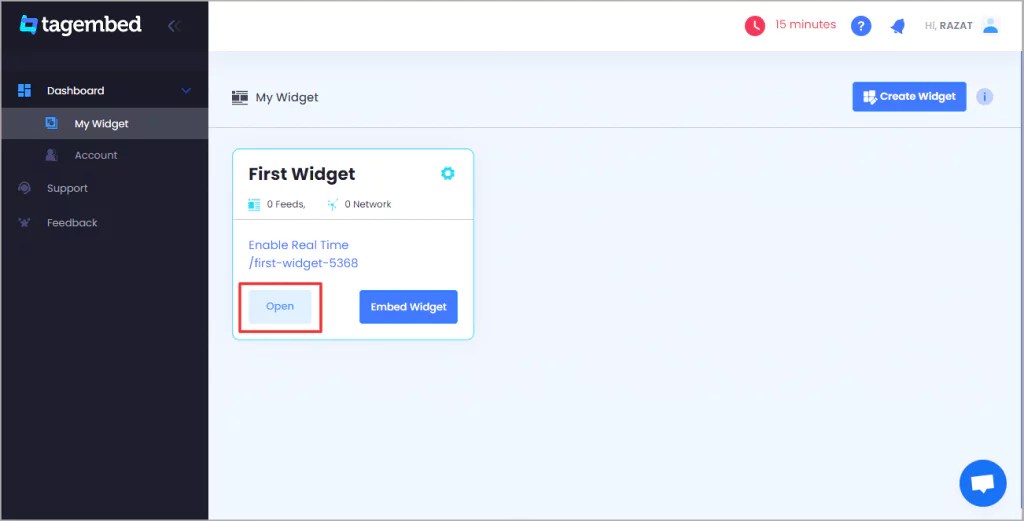
b) After this step you will reach the dashboard section where you will get two options.
(i) By simply pressing the Open Button, you will be totally ready to begin aggregation if you are a new user.
(ii) By pressing on the Create Widget tab in the top right corner you have to create a widget if you are an existing user. After this, press the Add Feeds tab.
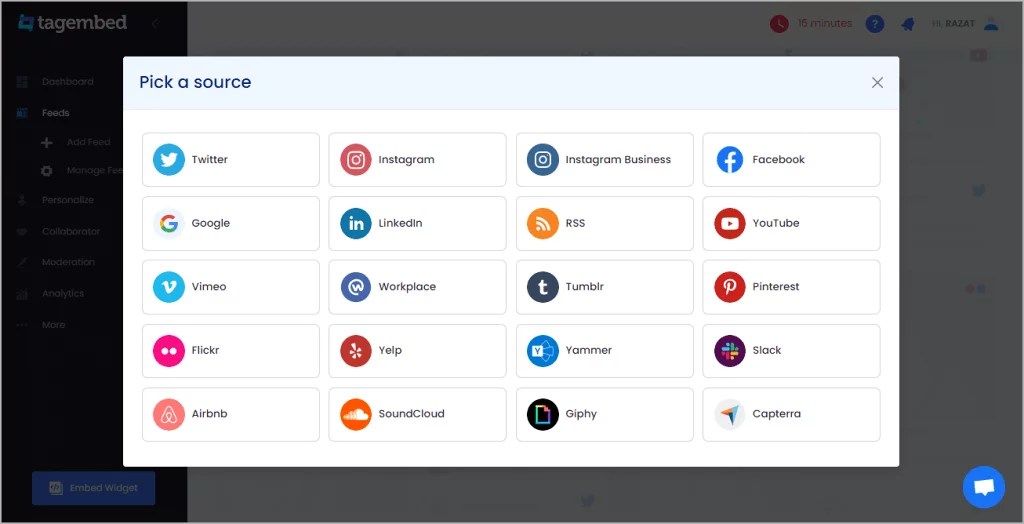
c) From the appearing pop-up menu you will require to select a platform from where you wish to aggregate the feeds. From more than 20+ social media platforms like Facebook, Instagram, Twitter, or YouTube you can aggregate the content.
d) Press the Create Feed tab after filling in your account credentials and after this, you will be able to aggregate your social media content in a few seconds.
Step 2- After Generating, Copy the Embed Code
To increase the impact and effectiveness of your widget, From Tagembed, you will get various customization options after aggregating the social media feeds. As per your need, you can select a wide range of styling options for your feeds.
a) Press the “Embed Widget” tab after you are done customizing.

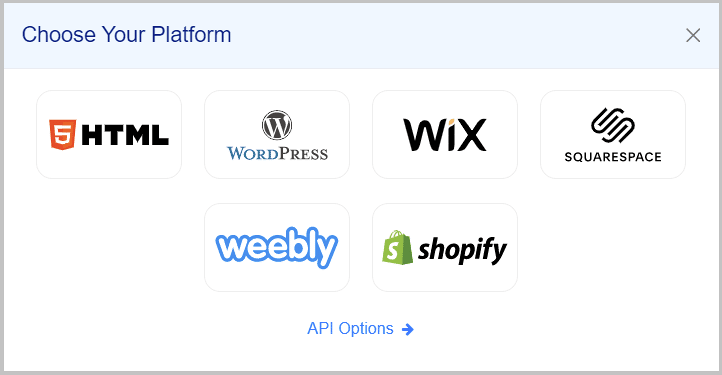
b) Choose the website-building platform on which you want to embed your social media feeds.
c) Set the width and height from ‘Auto’ or ‘Fixed’ as per your widget’s need. Press on the “Get Code” tab.
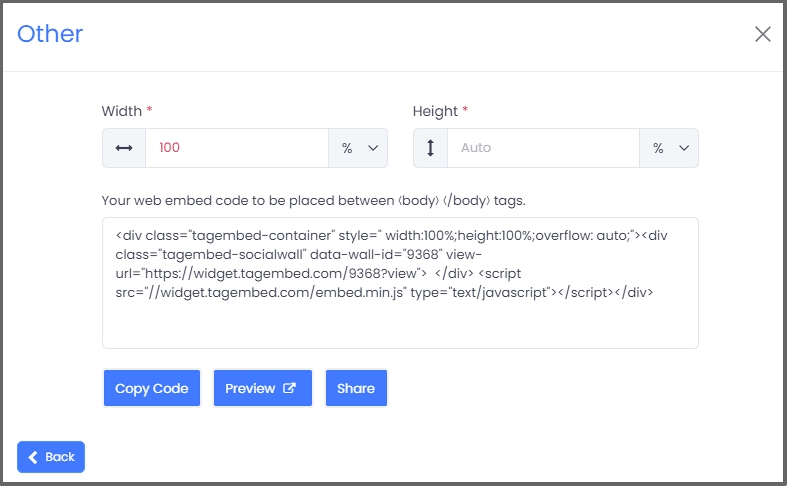
d) Copy the Embed code and paste it on the clipboard.
Step 3- Embedding Social Media Feeds on Different Websites Building Platforms
Without worrying about your CMS platforms you can begin by embedding your curated and customized social feeds on your website once you generate the embed code. With different website-building platforms like WordPress, Shopify, HTML, Wix, Jimdo, Squarespace, Weebly, etc., Tagembed offers you seamless integration of feeds.
Final Note
The major factor in boosting your business and selling your services online, social media marketing plays a huge role. Add social media feeds to your website that will open doors for your business over the Internet by driving your potential customers to your website.

 Widgetbox
Leave a comment