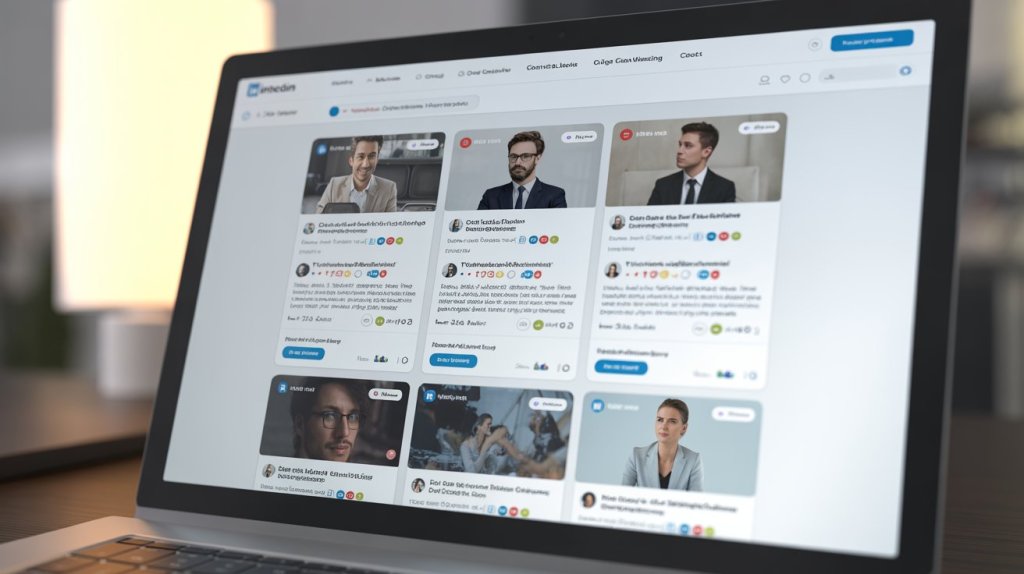
A Shopify store can look polished and still feel a little too static.
That happens when the site focuses only on products, banners, and collections but misses the bigger brand story behind the store. Visitors may like your design, but they still want to know whether your business is active, credible, and worth trusting.
That is where a LinkedIn feed can help.
By adding a LinkedIn feed to Shopify store, you can show business updates, company activity, thought leadership, and brand announcements directly on your site. It gives visitors more than a shopping experience. It gives them context about the company behind the products.
For B2B brands, wholesale businesses, service-led ecommerce stores, and authority-driven brands, this can be a valuable trust signal.
In this guide, you will learn what a LinkedIn feed to Shopify is, why it matters, and the best ways to add it without making the setup complicated.
What Is a LinkedIn Feed for Shopify?
A LinkedIn feed for Shopify is a section on your website that displays posts from your LinkedIn company page or business profile.
Instead of adding each post manually, the feed pulls your content into one place so visitors can view your latest updates directly on your store. That means your Shopify site does not just sell. It also communicates.
This is different from embedding a single LinkedIn post. A single post shows one update. A full feed shows ongoing activity. That creates a stronger impression because visitors see that your brand is consistently active, not just occasionally visible.
Depending on the type of content you publish on LinkedIn, your feed can showcase company updates, product announcements, event participation, educational content, hiring news, partnerships, or industry insights.
Why Add a LinkedIn Feed to Shopify?
Many Shopify stores work hard on design and conversion but still miss one thing: live brand proof.
A LinkedIn feed helps fill that gap. When visitors see recent business content on your store, your brand feels more active and more established. It shows there is a real company behind the storefront, not just a catalog of products.
That matters even more when trust plays a big role in the buying journey. If you sell high-value products, wholesale solutions, B2B services, or anything that requires buyer confidence, a LinkedIn feed can strengthen your positioning.
It also helps your website feel fresher. Product pages stay mostly the same, but social content keeps changing. That gives your store a more active and current feel.
Who Should Use It?
A LinkedIn feed is not necessary for every Shopify store, but it is especially useful for brands that want to build authority.
It works well for B2B ecommerce stores, wholesale brands, SaaS companies selling through Shopify, agencies with service-focused storefronts, and brands that want to look more credible and business-oriented.
If your audience wants to trust the company before they trust the product, LinkedIn content can support that decision.
Best Ways to Add a LinkedIn Feed to Shopify
There are a few ways to do it, but not all of them offer the same level of ease or flexibility.
The most common options are using a Linkedin widget tool, adding custom code, or manually embedding individual posts. For most brands, the easiest and most scalable option is a widget-based solution because it reduces manual work and gives you more design control.
Manual methods can work for one or two posts. But if your goal is to create an actual feed that looks polished and stays updated, a dedicated tool usually makes more sense.
Method 1: Use a LinkedIn Feed Widget Tool
This is the easiest option for most Shopify store owners.
A widget tool lets you connect your LinkedIn source, pull in content automatically, customize the layout, and then embed the finished feed into your Shopify store. It is faster than doing everything manually and usually leads to a more professional-looking result.
A tool like Tagembed can help simplify this process. Once you connect your LinkedIn company page, you can organize the feed, style it to match your store, and generate the embed code.
The basic process usually looks like this:
- Connect your LinkedIn company page
- Choose how you want the feed to appear
- Adjust colors, spacing, and post layout
- Copy the embed code
- Add that code to Shopify using a suitable theme section or custom liquid block
This route is popular because it is simple, manageable, and does not require deep technical work.
Method 2: Add It Through Shopify Custom Code
Another option is to place custom code directly into your Shopify theme.
This method can work if you are comfortable editing theme sections or working with custom liquid. It gives you more direct control, but it is often less convenient for non-technical users.
Even if you get it working, future updates can become harder to manage. Small design changes, layout issues, or feed adjustments may require more effort than expected.
For that reason, custom code is usually better for stores that already have technical help available.
Method 3: Manually Embed Individual LinkedIn Posts
This method is the most limited.
If you only want to feature one or two LinkedIn posts, manual embedding can work. For example, you may want to highlight an announcement, a company milestone, or an industry post that supports your brand message.
But if you want a real feed, this approach becomes inefficient. You have to add posts one by one, update them manually, and manage the design with fewer customization options.
It is useful for small cases, but not ideal for a long-term Shopify content setup.
Where Should You Place the Feed?
Placement matters more than most people think.
A LinkedIn feed works best when it supports trust rather than distracts from conversion. That is why the homepage is often a good choice. It gives visitors an early signal that your brand is active and credible.
The About Us page is another strong option because visitors there are already trying to understand your company. If you have a wholesale page, partner page, or brand story page, those can also be excellent places to show LinkedIn content.
On product pages, the feed can work in some cases, but only if it supports the buying journey instead of pulling attention away from key actions.
Best Practices for Better Results
A LinkedIn feed should feel intentional, not decorative.
The first rule is to keep it relevant. The posts you show should support your brand image and make sense for your audience. Random content weakens the effect.
The second rule is to keep it visually clean. Your feed should match the look and feel of your Shopify theme. If it feels disconnected, it can make the page look cluttered instead of professional.
A few practical things help a lot:
- show only recent and useful posts
- avoid overcrowding the section
- make sure it looks good on mobile
- place a simple CTA nearby, such as “Follow us on LinkedIn”
- keep the layout aligned with the rest of your store
A smaller, sharper feed usually works better than a long stream of content.
Common Mistakes to Avoid
One of the biggest mistakes is adding too many posts at once. That can slow down the page and make the section look messy.
Another common issue is using LinkedIn content that does not actually support your store. Just because something exists on your company page does not mean it belongs on your website.
Poor placement is another problem. If the feed appears in a low-value area or interrupts the shopping journey, it may add very little value.
And finally, some brands add a feed without a real purpose. If it is not building trust, supporting authority, or guiding people toward the next step, it becomes just another website element.
How a LinkedIn Feed Helps Shopify Stores
A LinkedIn feed can do more than just fill space on a page.
For some brands, it adds credibility. For others, it supports storytelling. For B2B or wholesale stores, it can reassure buyers that the business is active and professional. For authority-driven brands, it helps visitors understand the people and expertise behind the products.
It also creates a stronger connection between your storefront and your broader brand presence. Instead of only seeing what you sell, visitors also see what your company shares, discusses, and stands for.
That can make your store feel more trustworthy and more memorable.
Why Tagembed Makes the Process Easier
For many Shopify users, the challenge is not deciding whether to add a LinkedIn feed. It is finding a way to do it without turning it into a technical project.
That is why a tool like Tagembed is useful. It reduces manual effort, makes customization easier, and helps you publish a feed that looks cleaner inside your Shopify design.
Instead of wrestling with repeated code edits or manually embedding post after post, you can create one branded feed and manage it more efficiently.
For businesses that want speed and simplicity, that can make a real difference.
Final Thoughts
Adding a LinkedIn feed to Shopify is a simple way to make your store feel more active, trustworthy, and brand-driven.
It helps visitors see that there is a real business behind the website, and that extra layer of credibility can be especially valuable for B2B stores, wholesale brands, and businesses that depend on buyer trust.
For most stores, the easiest route is a widget-based solution because it is simpler to manage and easier to style. Manual methods may work in small cases, but they are rarely the best long-term option.
If your goal is to create a Shopify experience that feels more professional and more credible, a LinkedIn feed is worth considering.
FAQ
How do I add a LinkedIn feed to Shopify?
The easiest way is to use a feed tool, connect your LinkedIn company page, copy the embed code, and place it in your Shopify store using a custom section or liquid block.
Can I add LinkedIn posts to Shopify without coding?
Yes. A widget tool can reduce or even remove the need for manual coding.
What is the best way to show a LinkedIn feed on Shopify?
For most brands, a widget-based solution is the easiest because it offers easier setup, better design control, and automatic updates.
Where should I place a LinkedIn feed on my Shopify store?
The homepage, About Us page, wholesale page, and brand story page are usually the strongest locations.
Does a LinkedIn feed help with conversions?
It can. A well-placed feed can improve trust, strengthen brand authority, and support the buyer journey.


Leave a comment