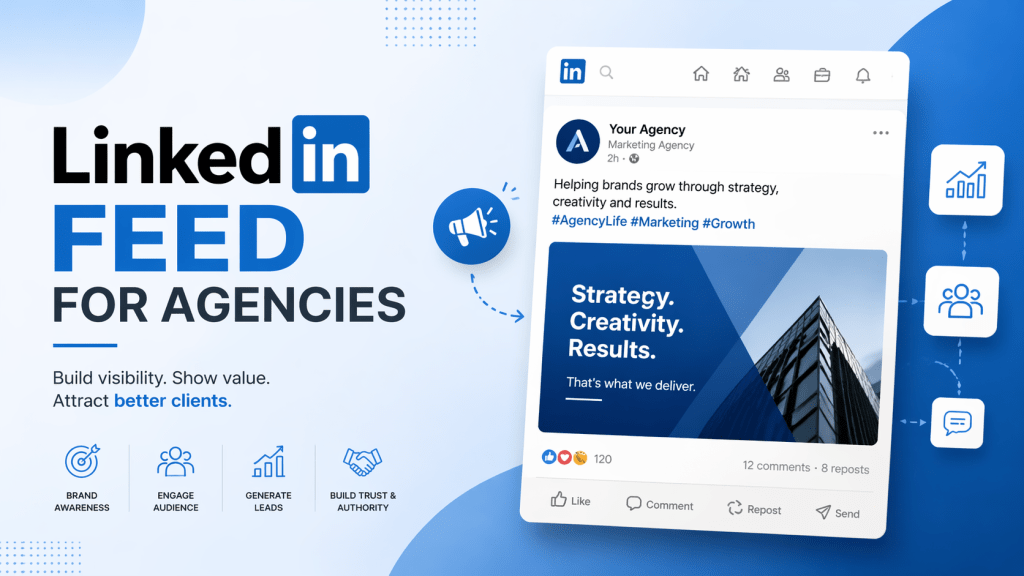
In today’s digital-first world, agencies need to establish credibility quickly. Potential clients often decide within seconds whether they can trust your expertise. One of the most effective ways to do this is by embedding a LinkedIn feed on your agency website or landing pages.
A LinkedIn feed showcases your agency’s activity, thought leadership, and client engagement in real time creating an instant layer of social proof. In this guide, we’ll explain why this works, how agencies can implement it effectively, and best practices to maximize trust and lead generation.
Why Agencies Should Use LinkedIn Feed
Agencies operate in a competitive landscape. Prospects want proof that you deliver results and stay active in your niche. Here’s why a LinkedIn feed helps:
1. Demonstrates Expertise
By showing your agency’s posts, updates, and achievements, a LinkedIn feed highlights your expertise in areas such as marketing, development, design, or consulting. Visitors can immediately see:
- Case studies and client success stories
- Industry insights and thought leadership posts
- Awards, certifications, or recognitions
2. Builds Instant Trust
Trust is the currency of agency-client relationships. Real engagement on LinkedIn—likes, comments, shares—signals credibility to prospective clients. Visitors see that your agency is active, respected, and produces meaningful content.
3. Showcases Agency Culture
Prospects not only look for expertise but also for a team they can connect with. Sharing behind-the-scenes posts, team achievements, or event highlights in a feed creates a human connection that builds trust faster.
4. Encourages Lead Actions
A live LinkedIn feed encourages users to engage, follow, or click through to explore services. Paired with strategic calls-to-action, it can guide visitors toward booking consultations, downloading resources, or submitting project inquiries.
How to Embed a LinkedIn Feed for Agencies
Embedding your feed doesn’t have to be technical. Here’s a step-by-step approach:
Step 1: Choose Your Source
Decide what type of content you want to show:
- Company page posts – show achievements, services, or client success stories.
- Personal thought leadership – CEO or senior leader insights for a human touch.
- Hashtags or topic feeds – highlight trending industry topics.
Step 2: Select a Widget or Tool
Tools like Taggbox, or Tagembed linkedin feed widget make embedding easy. Features to look for:
- Mobile-responsive layouts
- Moderation to remove irrelevant content
- Customizable styles to match your brand
- Analytics for engagement tracking
Step 3: Customize the Appearance
Ensure your feed aligns with your agency branding:
- Use your brand colors and fonts
- Choose a carousel, grid, or list layout
- Highlight high-performing or pinned posts to draw attention
Step 4: Embed on Website
Copy the embed code provided by the tool and place it strategically on your site:
- Landing pages for services
- “About Us” or company overview pages
- Resource or case study pages
Best Practices for Agencies
To get maximum value from a LinkedIn feed:
- Keep content fresh – post updates regularly to maintain credibility.
- Pin top-performing posts – show your best case studies or testimonials.
- Combine with strong CTAs – “Schedule a Free Consultation” or “Download Our Case Study” near the feed.
- Moderate carefully – ensure only relevant posts appear to avoid clutter.
- Track engagement – use feed analytics to measure clicks, interactions, and conversions.
Benefits Beyond Trust
While trust is the primary goal, embedding LinkedIn feeds offers additional advantages:
- SEO Boost: Fresh content and user engagement can indirectly improve dwell time metrics.
- Content Amplification: Highlight your thought leadership to attract organic followers.
- Lead Nurturing: Visitors repeatedly exposed to your posts gain confidence over time, improving conversion rates.
Conclusion
For agencies, establishing trust quickly is crucial for converting visitors into clients. Embedding a LinkedIn feed not only showcases expertise and social proof but also humanizes your agency and drives engagement. By strategically curating and displaying your LinkedIn activity, agencies can increase credibility, strengthen brand presence, and generate more qualified leads.
Start embedding your LinkedIn feed today and turn your website into a trust-building engine for prospects.
FAQ
1. Can I embed LinkedIn feeds for free?
Yes, some tools offer free versions, but premium plans provide advanced customization and analytics.
2. Which LinkedIn feed type works best for agencies?
Company page feeds are ideal for agency achievements; personal thought leadership works for human connection.
3. How often should I update my feed?
Regularly—at least 2–3 times per week—to keep content fresh and credible.
4. Does embedding affect website speed?
Modern widget tools are optimized for performance and don’t significantly slow down pages.
5. Can I moderate the feed?
Yes, you can filter out irrelevant posts to maintain a clean display.
6. Can feeds be mobile responsive?
Absolutely. Ensure you select a tool that supports responsive layouts.
7. Can I track leads generated from the feed?
Yes, analytics from embedding tools show engagement and click-throughs.
8. How do I combine it with CTAs?
Place buttons like “Book Consultation” or “Download Case Study” near the feed for maximum impact.
9. Can I embed multiple feeds?
Yes, you can show feeds from multiple LinkedIn pages or hashtags for broader coverage.
10. Will it improve my agency’s credibility?
Definitely. Active social proof boosts visitor confidence and increases conversions.


Leave a comment