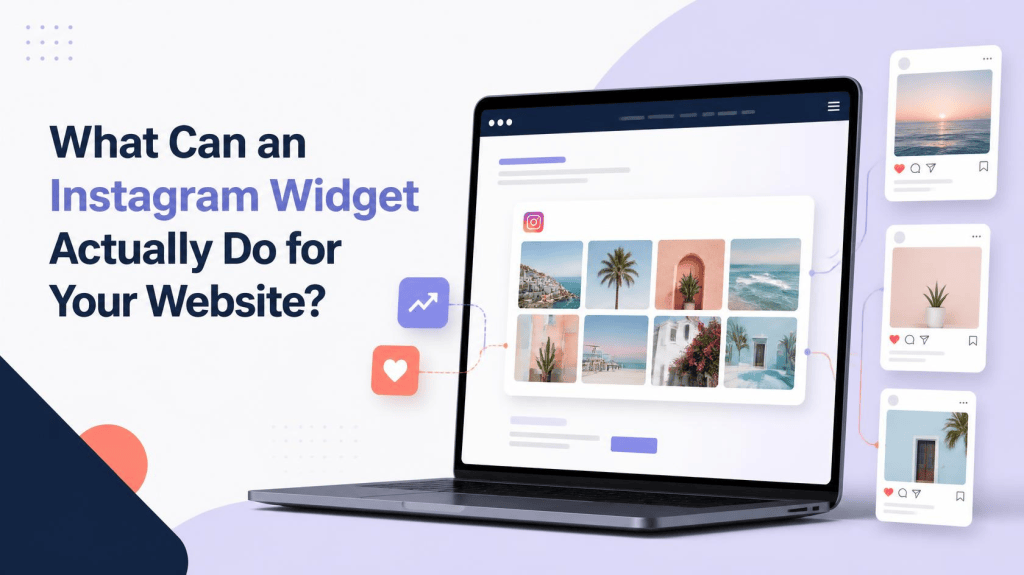
You probably already use Instagram to share photos, videos, Reels, customer posts, and updates. But what happens to all that content once someone visits your website?
That is where an Instagram widget can be useful.
An Instagram widget lets you display Instagram content directly on your website. Instead of keeping your social media presence and website completely separate, you can bring selected Instagram content into your web pages and make it part of the visitor experience.
But can an Instagram widget actually do more than display a few photos?
Yes. When used properly, it can support your Instagram marketing strategy, keep your website fresh, showcase social proof, highlight customer content, and create more opportunities for visitors to interact with your brand.
Let’s look at what an Instagram widget can actually do for your website and how it can fit into a broader digital marketing strategy.
What Is an Instagram Widget?
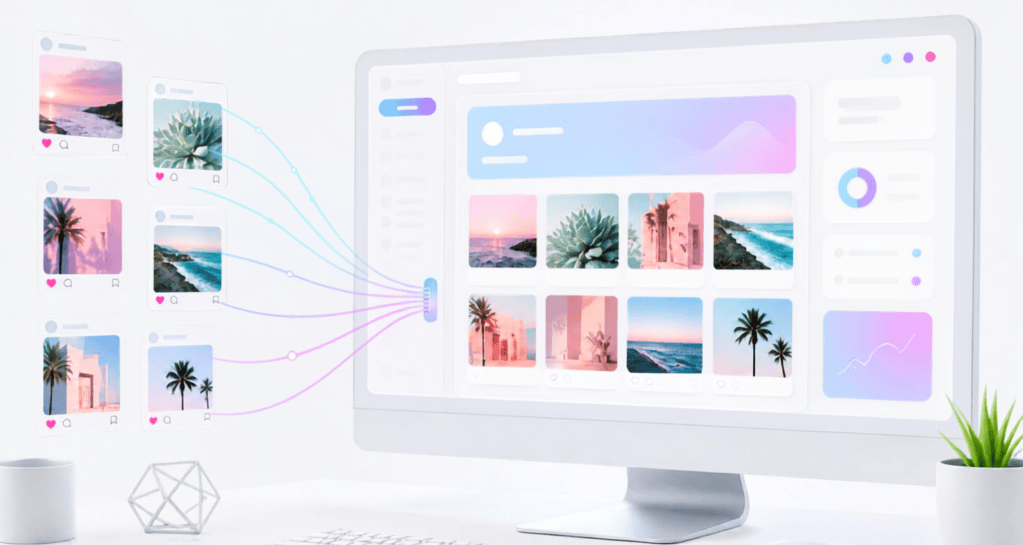
An Instagram widget is a website element that allows you to display Instagram content directly on a web page.
Depending on the tool you use, you may be able to display content in formats such as:
- Instagram feed grids
- Carousels
- Sliders
- Social walls
- Image galleries
- Reels and videos
- User-generated content
The exact features depend on the widget you choose.
The basic idea is simple. Instead of asking visitors to leave your website and visit Instagram, you can bring relevant social content directly to your website.
This can be useful for brands, creators, ecommerce stores, restaurants, hotels, events, agencies, and other businesses that actively use Instagram.
Why Add an Instagram Widget to Your Website?
Instagram and your website usually have different roles.
Instagram is designed around content discovery, interaction, and community. Your website is where visitors can learn about your products, services, brand, or business in more detail.
Connecting the two can create a more complete experience.
For example, someone might discover your website through Google but know very little about your brand. Showing recent Instagram posts, customer photos, or behind-the-scenes content can give that visitor another way to understand what you do.
It also means your Instagram activity can become part of your website content strategy instead of remaining isolated on a social platform.
1. It Keeps Your Website Content Fresh
One of the simplest benefits of an Instagram widget is that it can make your website feel more active.
Your main website pages might stay unchanged for weeks or months, while your Instagram account could receive new content several times a week.
An automatically updating Instagram feed can help bridge that gap.
For example, a fashion brand can display recent styling posts, while a restaurant can showcase new dishes and customer experiences.
This can be especially useful for:
- Restaurants
- Hotels
- Travel brands
- Fashion businesses
- Ecommerce stores
- Events
- Creators
- Agencies
The website doesn’t need to be redesigned every time you publish something on Instagram.
2. It Can Support Your Instagram Marketing Strategy
An Instagram account should not exist completely separately from the rest of your marketing efforts.
If you’re already investing time in Instagram marketing, your website can help extend the reach of that content.
For example, you may create Instagram posts to promote a product, campaign, event, or new service. Displaying some of that content on your website allows people who discover you through search or other channels to see your social activity as well.
This creates a simple connection between your website and social media.
Instead of thinking about Instagram only as a platform for gaining followers, you can also use it as a source of visual content for your website.
3. It Can Showcase Social Proof
People often want to know what other customers think before making a decision.
Instagram can provide a form of visual social proof.
Customer photos, product mentions, tagged posts, and event experiences can show how real people interact with a brand.
For example:
- A clothing brand can showcase customer outfits.
- A hotel can feature guest experiences.
- A restaurant can display customer food photos.
- An event organizer can show attendee posts.
- A beauty brand can feature customer-created looks.
An Instagram widget can bring this content directly onto the website.
Of course, you should always make sure that the content you display is appropriate and that you have the necessary permission to use customer-generated content.
4. It Can Help Turn Website Visitors Into Instagram Followers
Your website visitors may not know that your business has an active Instagram account.
Adding an Instagram widget creates a natural opportunity to introduce them to your social content.
Depending on the widget, you may also be able to include profile information or a button that lets visitors explore your Instagram account.
The journey can be simple:
Website visitor → Instagram content → Instagram profile → potential follower
This doesn’t mean every visitor will follow you. But if someone likes the content they see, making your Instagram profile easy to discover removes an unnecessary step.
This can be particularly useful when Instagram is an important part of your wider marketing strategy.
5. You Can Display User-Generated Content
User-generated content, or UGC, is another powerful use of an Instagram widget.
Imagine a customer posts a picture of your product and tags your brand. Instead of allowing that post to remain visible only to your Instagram audience, you can potentially feature it on your website.
This gives website visitors an opportunity to see your products or services through the experiences of other people.
UGC can work particularly well for:
- Ecommerce brands
- Hotels
- Restaurants
- Travel companies
- Events
- Lifestyle brands
If you collect content through hashtags or mentions, moderation is also important. You don’t necessarily want every piece of collected content to appear automatically.
6. It Can Make Product Pages More Engaging
Product images tell customers what something looks like, but social content can show how people actually use it.
For example, a clothing store could display customer styling ideas. A furniture company could show products inside real homes. A beauty brand could feature customers using its products.
Adding relevant Instagram content near product information can make a page more visually interesting and provide additional context.
However, the Instagram feed should support the shopping experience rather than distract from important information such as pricing, product descriptions, specifications, and purchase options.
7. It Can Be Useful for Events
Events naturally generate a lot of social content.
Conferences, exhibitions, festivals, concerts, and corporate events can all benefit from displaying Instagram content on their websites.
An event website could feature:
- Speaker posts
- Attendee photos
- Event announcements
- Behind-the-scenes content
- Venue images
- Event highlights
- Branded campaign posts
This can make the website feel connected to the event community.
It can also support event-related Instagram marketing by giving social content another place to be discovered.
8. You Can Customize the Feed to Match Your Website
Adding an Instagram feed is only part of the process. You also want it to look like it belongs on your website.
Many dedicated Instagram widget tools offer customization options such as:
- Grid layouts
- Carousels
- Number of columns
- Spacing
- Image sizes
- Colors
- Fonts
- Buttons
- Captions
- Hover effects
For example, a minimalist website may work better with a clean image grid, while an event website might benefit from a larger social wall.
The goal is to integrate the Instagram content into the website design instead of making it look like a separate element.
9. It Can Reduce Manual Content Updates
Imagine publishing a new Instagram post and then manually downloading the image, uploading it to your website, resizing it, adding a link, and arranging it on the page.
Doing this regularly can become time-consuming.
An automatically updating Instagram widget can reduce some of this work.
When your Instagram content changes, the website feed can update based on the widget’s settings.
This is particularly helpful for businesses that publish frequently and want their website to reflect their latest social activity without constantly editing the page.
10. A Free Instagram Widget Can Be a Good Starting Point
Not every website needs an advanced Instagram marketing or social media platform.
If you have a small website and simply want to display a basic Instagram feed, a free Instagram widget can be a practical starting point.
It allows you to test how an Instagram feed looks on your website and whether visitors actually interact with it.
However, don’t choose a tool simply because it is free.
Check what the free version includes. Some options may limit the number of posts, layouts, customization features, refresh frequency, or other functionality.
If your requirements grow later, you can always look at more advanced options.
11. It Can Work With Different Website Platforms
Another factor to consider is compatibility.
Depending on the widget, you may be able to add an Instagram feed to platforms such as:
- WordPress
- Shopify
- Wix
- Squarespace
- Webflow
- HTML websites
The installation process can vary.
Some platforms may support plugins or apps, while others may require you to paste an embed code into a specific section of your website.
Before choosing an Instagram widget, check that it supports the platform you’re using and that the setup process is comfortable for you.
12. It Can Encourage More Social Interaction
An Instagram widget can also create another touchpoint between your website visitors and your social channels.
Someone may arrive on your website looking for information about your business. They see a recent Instagram post that catches their attention and decide to explore more.
That interaction can lead to:
- More Instagram profile visits
- New followers
- More content views
- More social engagement
- Greater awareness of campaigns
Again, the widget itself isn’t a magic solution. The quality and relevance of the content still matter.
A feed filled with useful, interesting, and current posts is much more likely to encourage interaction than an outdated collection of random images.
Does an Instagram Widget Affect Website Speed?
This is something you should check before publishing.
Third-party website elements can affect loading performance depending on how they are implemented and how much content they need to load.
A large feed containing many images may require more resources than a small feed.
To keep the experience smooth, consider:
- Showing a reasonable number of posts.
- Avoiding unnecessary widgets on the same page.
- Using lazy loading where available.
- Testing the page on mobile devices.
- Checking website performance after installation.
The goal should be to add useful content without making the rest of the page harder to access.
Is an Instagram Widget Good for SEO?
An Instagram widget should not be considered an SEO shortcut.
Simply adding an Instagram feed does not guarantee better Google rankings.
Your website still needs useful content, good page structure, relevant keywords, internal links, fast performance, and a positive user experience.
However, an Instagram widget can support the overall experience by adding relevant visual content and social proof.
It can also complement your broader content and Instagram marketing strategy by connecting social content with pages that visitors discover through search.
The important thing is not to rely on the widget for information that should exist as actual website text.
How Should You Use an Instagram Widget?
The best approach is to give your Instagram widget a clear purpose.
Instead of asking, “Where can I put an Instagram feed?” ask:
“Will this Instagram content help the visitor understand, trust, or interact with my brand?”
If the answer is yes, the widget may be a useful addition.
For example:
- Add customer content to a product page.
- Show event posts on an event website.
- Display recent brand content on a homepage.
- Feature travel photos on a destination page.
- Showcase UGC on a campaign page.
- Display creative work on a portfolio.
This makes the Instagram feed part of your content strategy instead of simply being a decorative element.
What Should You Check Before Choosing an Instagram Widget?
Before adding one to your website, consider a few practical questions:
Does it support my website platform?
Make sure the widget works with WordPress, Shopify, Wix, Webflow, Squarespace, or your particular setup.
Can I customize the design?
The feed should match your website rather than look completely separate.
Does it update automatically?
This can save time if you regularly publish on Instagram.
Can I moderate content?
This is especially important if you’re displaying UGC, hashtags, or mentions.
Is it responsive?
The feed should look good on phones, tablets, and desktop screens.
Will it affect performance?
Always test your page after installation.
Does it offer the features I actually need?
More features aren’t necessarily better if you won’t use them.
Final Thoughts
So, what can an Instagram widget actually do for your website?
It can do much more than display a collection of Instagram photos.
A well-used widget can keep your website visually fresh, showcase customer experiences, display user-generated content, connect website visitors with your Instagram profile, support ecommerce and event pages, and reduce the effort involved in updating social content manually.
It can also become a useful part of your Instagram marketing strategy by bringing social content into another important digital touchpoint: your website.
You don’t necessarily need a complicated setup, either. If your requirements are simple, you can start with a free Instagram widget, test how the feed fits your website, and decide later whether you need additional features.
Ultimately, the best Instagram widget isn’t necessarily the one with the longest feature list. It’s the one that fits your website, your content, and the experience you want to create for your visitors.


Leave a Reply