
Google reviews are no longer just a trust signal—they are a conversion driver, reputation-building asset, and customer acquisition tool for modern businesses. Whether you run an ecommerce store, SaaS company, agency, restaurant, healthcare clinic, or local business, adding a Google Reviews Widget to your website helps turn customer feedback into measurable business growth.
In 2026, businesses are moving beyond static testimonials and using dynamic, auto-updating Google review widgets to improve credibility, engagement, and user trust. Modern review widgets now offer AI moderation, advanced customization, responsive layouts, review filtering, analytics, and integrations with platforms like Shopify, WordPress, Wix, Webflow, and Squarespace.
What Is a Google Reviews Widget?
A Google Reviews Widget is a tool that helps businesses collect, curate, and display Google Business Profile reviews directly on their websites. These widgets automatically sync reviews from Google and showcase them in layouts such as:
- Review carousels
- Sliders
- Grids
- Floating badges
- Sidebar widgets
- Testimonial walls
- Popups
- Trust badges
Most modern Google review widgets also include customization features, filtering options, and responsive design support.
Why Businesses Need Google Reviews Widgets in 2026
Build Instant Trust
Customers trust real user experiences more than brand messaging. Displaying authentic Google reviews on your website helps visitors feel confident about your business.
Businesses using customer reviews prominently on websites often see higher engagement and improved buyer confidence.
Increase Conversion Rates
When users see positive customer experiences near CTAs, product pages, pricing sections, or landing pages, they are more likely to take action.
Modern Google review widgets help reduce buying hesitation by placing social proof exactly where users make decisions.
Keep Website Content Fresh
Auto-syncing reviews ensures your website continuously updates with fresh customer content without manual effort.
Fresh content improves user engagement and keeps your website active and trustworthy.
Enhance Local Business Credibility
Google reviews directly influence how customers perceive local businesses. Embedding them on your website reinforces trust and helps visitors validate your reputation quickly.
Key Features to Look for in a Google Reviews Widget Tool

Real-Time Review Sync
Your reviews should automatically update whenever new reviews are posted on Google.
Customization Options
Look for widgets that offer:
- Multiple layouts
- Brand color matching
- Typography controls
- Dark/light themes
- Custom CSS
- Mobile responsiveness
Users generally prefer widgets that blend naturally with their website design instead of generic embeds.
Review Filtering & Moderation
Top tools allow you to:
- Highlight 5-star reviews
- Pin featured reviews
- Filter by keywords or rating
- Remove irrelevant content
Fast Loading Speed
Page speed matters for user experience and website performance. Lightweight widgets with lazy loading and caching are preferred.
Multi-Platform Support
Some tools aggregate reviews from:
- Yelp
- Trustpilot
- Airbnb
- Tripadvisor
This creates a stronger social proof ecosystem.
Best Google Reviews Widget Tools for Websites in 2026
Taggbox Google Reviews Widget
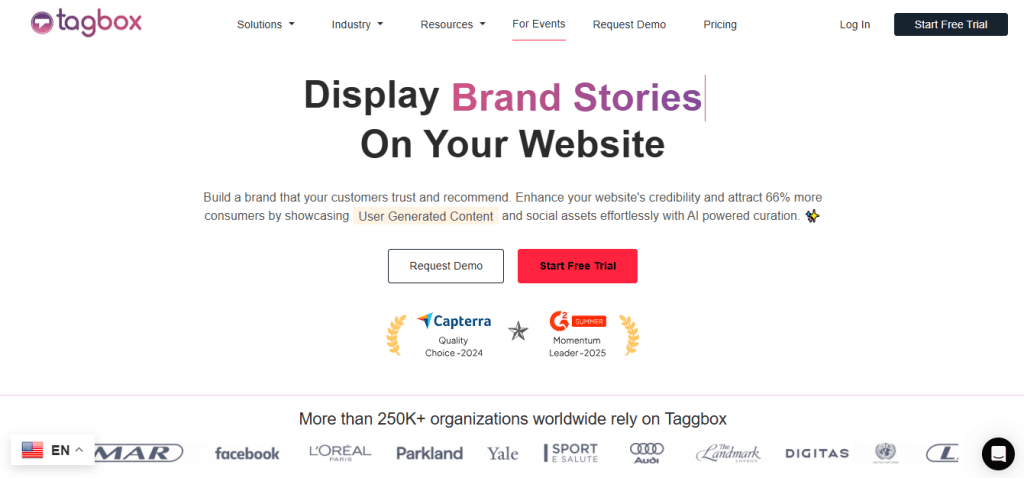
Taggbox is one of the most advanced Google review widget platforms available in 2026. It helps brands collect, curate, moderate, and display reviews with highly customizable widgets.
Best Features
- Real-time Google review aggregation
- AI-powered moderation
- Multiple widget layouts
- Responsive design
- Review filtering & pinning
- Social media integration
- Analytics dashboard
- No-code embedding
Best For
- Ecommerce brands
- Agencies
- SaaS companies
- Local businesses
- Enterprise websites
Pros
- Excellent customization
- Easy embedding
- Multi-platform support
- Strong moderation features
Cons
- Advanced features may require paid plans
Trustindex
Trustindex is one of the most popular Google review plugins, especially for WordPress websites.
Features
- 40+ widget layouts
- Rating filters
- Review reply display
- Dark mode support
- Rich review display
- Free version available
Best For
- WordPress websites
- Bloggers
- SMBs
Cons
- Advanced customization is limited compared to enterprise tools
Jotform
Jotform provides a simple no-code solution for embedding Google reviews on websites.
Features
- Easy widget generator
- Responsive embeds
- Quick integrations
- Basic customization
- Beginner-friendly setup
Best For
- Small business owners
- Personal websites
- Beginners
Cons
- Limited advanced features
Watch Video: How to Display Google Reviews on a Website
Prefer a visual walkthrough? This quick tutorial shows the process of adding Google Reviews to your website, from setting up the review feed to embedding it on a webpage.
Watch the video below to see how to embed Google Reviews on a website step by step.
Smash Balloon

Smash Balloon is a well-known review feed plugin that helps businesses showcase reviews from multiple platforms.
Features
- Google & Facebook review integration
- Multiple feed styles
- Responsive layouts
- Custom review feeds
- Easy WordPress integration
Best For
- WordPress users
- Content-focused websites
- Bloggers
Cons
- Primarily optimized for WordPress
Common Ninja
Common Ninja offers highly customizable review widgets with modern layouts and visual editing tools.
Features
- Grid & masonry layouts
- Responsive widgets
- Search & filtering
- Advanced styling
- Review summaries
Best For
- Agencies
- Design-focused brands
- Portfolio websites
Cons
- Some advanced features require premium plans
Best Google Reviews Widgets for WordPress
WordPress users typically prefer plugins with direct integration and responsive review layouts.
Top recommendations:
- Taggbox
- Trustindex
- Smash Balloon
- WP Business Reviews
These tools are easy to integrate and work well with modern WordPress themes.
Best Google Reviews Widgets for Shopify
For Shopify stores, review widgets should focus on customer trust and conversion optimization.
Top recommendations:
- Taggbox
- Trustindex
- Common Ninja
These tools help merchants place reviews on:
- Product pages
- Homepage sections
- Checkout pages
- Landing pages
Best Google Reviews Widgets for Wix & Webflow
Businesses using no-code website builders prefer lightweight, embeddable widgets.
Top recommendations:
- Taggbox
- Common Ninja
- Jotform
These platforms offer easy copy-paste embedding and responsive layouts.
Google Official Embed vs Third-Party Review Widgets
Google Official Embed
Businesses looking to embed Google reviews on website pages can use Google’s official embedding option for a simple and authentic review display.
Pros
- Free
- Simple setup
- Authentic reviews
Cons
- Limited customization
- Basic layouts
- Minimal styling options
- Less control over display
Third-Party Review Widgets
Pros
- Better design flexibility
- Review moderation
- Multiple layout styles
- Better branding control
- Conversion-focused display options
- Multi-platform review support
Cons
- Paid plans for advanced features
How to Choose the Best Google Reviews Widget Tool
For Ecommerce Stores
Recommended tools:
- Taggbox
- Common Ninja
Focus on:
- Conversion-focused layouts
- Product page social proof
- Mobile responsiveness
For WordPress Websites
Recommended tools:
- Taggbox
- Smash Balloon
Focus on:
- Plugin compatibility
- Ease of integration
- Flexible layouts
For Agencies
Recommended tools:
- Taggbox
- Common Ninja
Focus on:
- Multiple client management
- Branding flexibility
- Scalability
For Small Businesses
Recommended tools:
- Taggbox
- Trustindex
Focus on:
- Budget-friendly plans
- Easy setup
- Quick implementation
Best Practices for Using Google Reviews Widgets
Place Reviews Strategically
Best locations include:
- Homepage hero sections
- Product pages
- Pricing pages
- Checkout pages
- Landing pages
Highlight High-Quality Reviews
Feature reviews that mention:
- Customer service
- Product quality
- Fast delivery
- Positive experiences
Keep Widgets Mobile-Friendly
Most users browse websites on mobile devices, so responsive review layouts are essential.
Avoid Overloading Pages
Too many reviews can reduce readability and negatively impact user experience.
Final Thoughts
Choosing the right Google Reviews Widget in 2026 is about more than displaying customer feedback—it’s about building trust, improving engagement, and increasing conversions through authentic social proof.
If you want an advanced all-in-one solution with powerful customization and moderation features, Taggbox stands out as a strong choice. For WordPress-focused websites. Ultimately, the best Google review widget depends on your website platform, business goals, design needs, and budget.
FAQs
What is the best Google Reviews Widget in 2026?
Taggbox, Common Ninja are among the best Google Reviews Widget tools in 2026 based on customization, usability, and business-focused features.
Can I embed Google reviews on any website?
Yes. Most Google review widgets support platforms like WordPress, Shopify, Wix, Webflow, Squarespace, and custom HTML websites.
Are free Google review widgets worth using?
Free widgets are useful for startups and small businesses, but paid plans generally provide better customization, branding control, and advanced features.
Do Google review widgets update automatically?
Most modern Google review widgets offer automatic syncing, ensuring your latest customer reviews appear on your website in real time.
Which Google Reviews Widget is best for WordPress?
Taggbox is among the most popular Google review widget tools for WordPress websites because of their plugin-based integration and ease of use.


Leave a comment